

IT SERVICES AND CONSULTING FOR SMALL BUSINESSES AND PRIVATE INDIVIDUALS
Small businesses and private individuals have big IT problems too, and we are ready to help. Our experience is that private individuals, small business owners often feel overwhelmed.
Overhead
Often implies higher personnel costs like salaries, raises, office supplies –(YouInc.) says it can cost around 1.5 x a new employee’s salary to hire that person including training, ramp-up time, benefits, etc.
Operational Staff
A company with a team of 100 would typically need part-time support from an IT Director, a Systems Administrator & a full-time IT Technician –add in training & certifications required and costs increase quickly.
Dependency
Knowledge resides with one person (or few) that could leave the company at any time.
Experience
Staff can have limited experience, or knowledge, of best practices across all IT technology areas (security, backup, recovery, infrastructure, devices, software & more).
Services

TECHNOLOGY CONSULTING
Do you need help? Whether it’s a technology solution or a human one, we will find the most efficient solution.

TECHNICAL SUPPORT
Do you need help for yourself or your users? For all kinds of technical problems? I’m sure we can figure something out !

WEB DESIGN
Starting a new business ? Or, looking into modernizing you’re existing web site ? We can help.

TRAINING
Do you need help with your Windows PC? Do you need basic computer knowledge? On how things work ? We can help.

PRINTING - DESIGN
You need new business cards? Brochures?
Or something else?
We may be able to help.

REMOTE SUPPORT
We securely connect to remote computers. Computer glitches, system crashes, and device failures can bring business to a standstill.
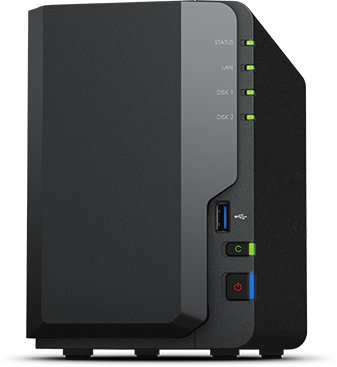
What is NAS ?
Using a NAS is easy with low cost of ownership
NAS (Network Attached Storage) is an intelligent storage device connected to your home or office network. You can store all your family and colleagues’ files on the NAS, from important documents to precious photos, music and video collections. By using a web browser or mobile apps, you can access files and use various services provided by the NAS via the Internet.
Our news
Company news and advices to our customers

10 Tips to keep your online browsing secure
1. Frequently Change Your Passwords I get it, it’s really irritating to change your passwords over and over again. You’re probably thinking that it’s bad enough that you have to incorporate a series of numbers, capital letters, and symbols in your password, and now you have to change it all the time? But seriously, having